🚀 We will submit your Modelo 100 online in just 5 minutes via remote access
How to fill Modelo 100
Discover a complete step-by-step guide on how to fill out Modelo 100 in Spain. This guide helps autónomos and freelancers declare annual income, deductions, business expenses, and submit the annual IRPF declaration correctly.
Whether you’re submitting for the first time or need tips to maximize deductions and avoid mistakes, our 2026 guide covers deadlines, tax reductions, and online submission options.
Introduction
Who must submit Modelo 100? Individuals in Spain who are required to declare personal income tax (IRPF), including self-employed professionals (autónomos), employees, landlords, and taxpayers with multiple sources of income.
Modelo 100 is the annual income tax return (Declaración de la Renta). It summarizes all income earned during the previous calendar year, including professional activity, salary, investments, and rental income.
The filing period usually runs from April to June each year. For the 2025 tax year, Modelo 100 is submitted in 2026. The standard deadline is June 30, while direct debit submissions typically close earlier, around June 25.
1️⃣ Step
You have issued an invoices to a client in Spain for €12,000 and another to a client in the USA for €36,000. The total income is €48,000 (without VAT). Let`s calculate our gross income.


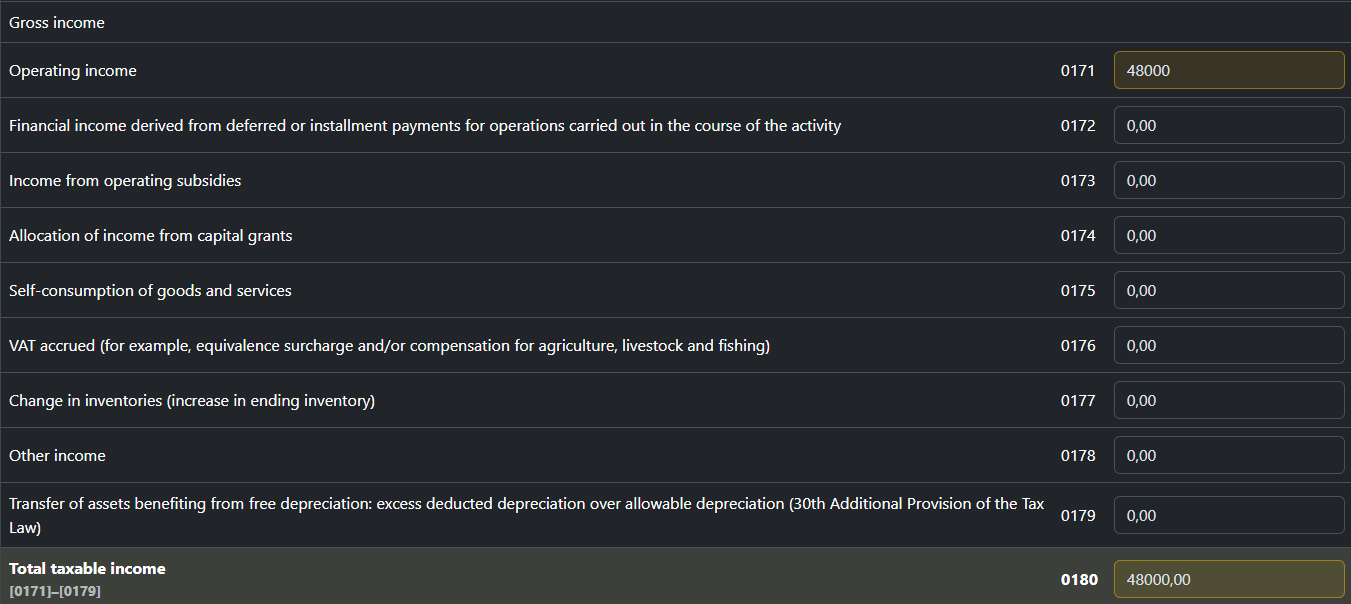
All income is reflected in cell 0171 and the data is automatically compared with cell 01 of model 130 for the 4th quarter.
If you received any subsidies, you need to fill out cell 0173.
2️⃣ Step
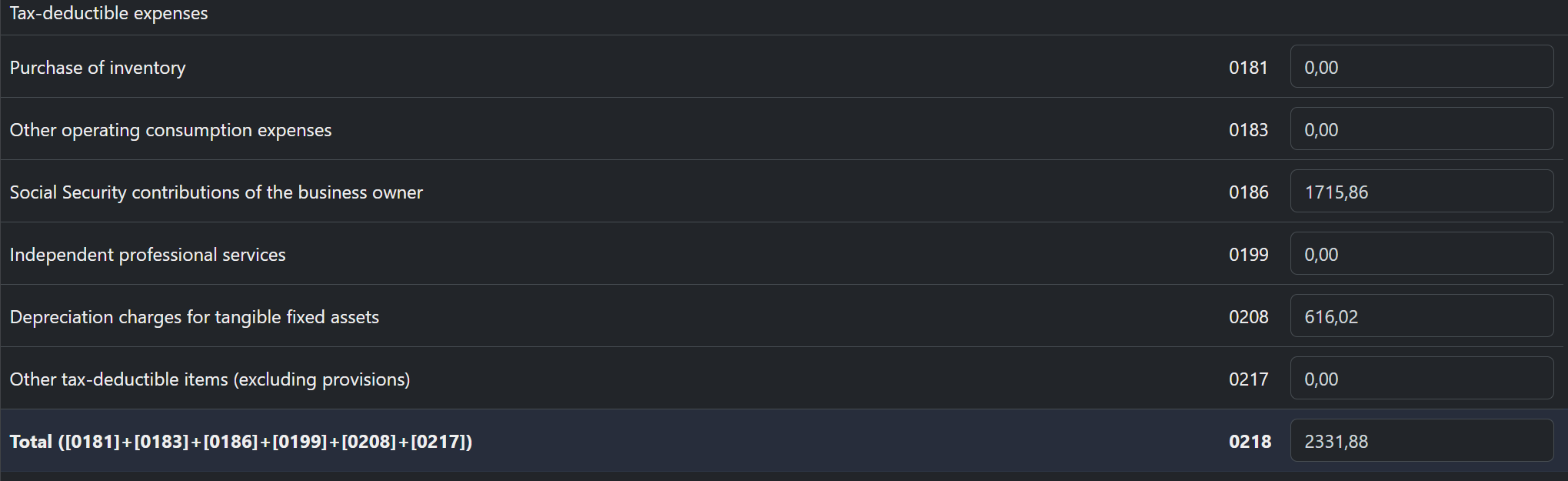
Tax deductible expenses.
0181 Material expenses for running a business. Calculated automatically.
0186 Transferred to social security. Calculated automatically.
0199 Autónomo service expenses. Calculated automatically.
0208 Amount of depreciation for the year. Calculated automatically.
0218 Тотаl. Calculated automatically. And the data is automatically compared with cell 02 of model 130 for the 4th quarter.
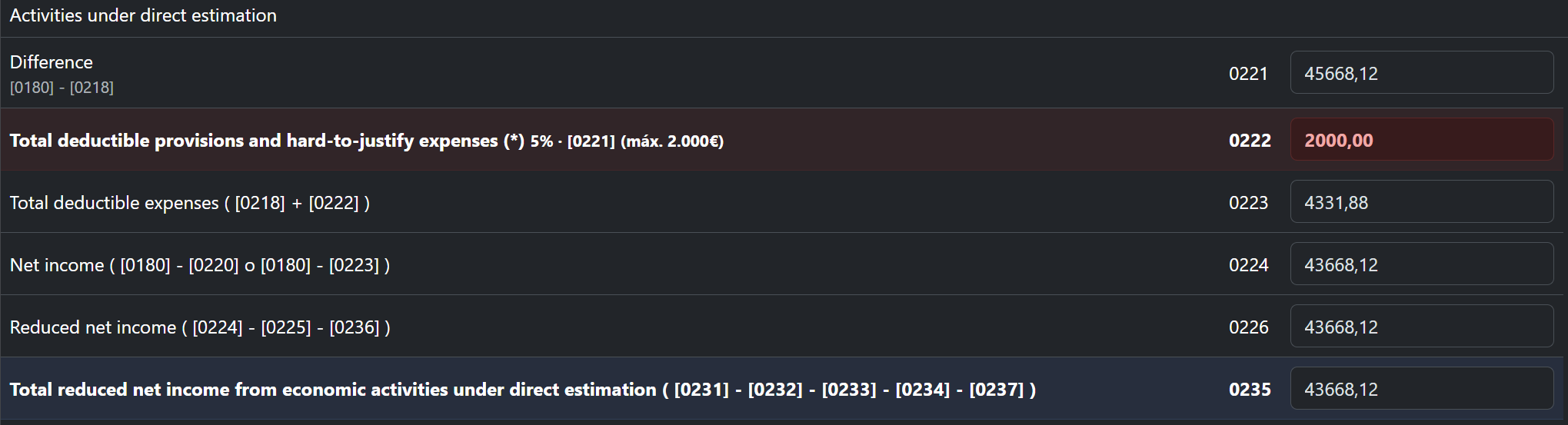
0222 Deduction of 5% but not more than 2000 euros from income on line 0221. Calculated automatically.
0223 Total deductible expenses. Calculated automatically.
0235 Total reduced net income from economic activities under direct estimation Calculated automatically.
3️⃣ Step
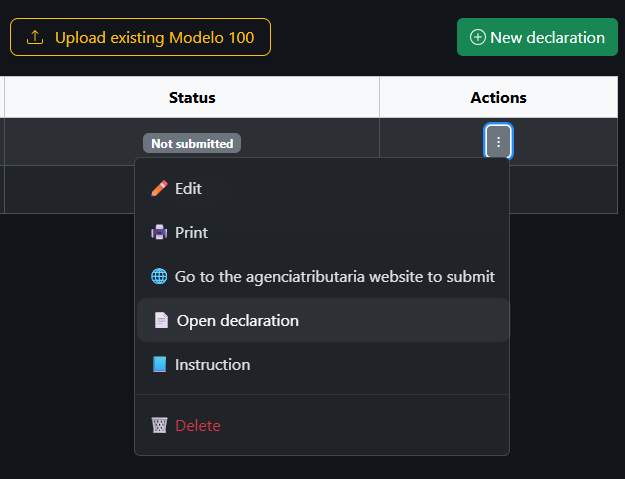
Now we can proceed to Modelo 100
4️⃣ Step
🌐 Go to the agenciatributaria website to submit
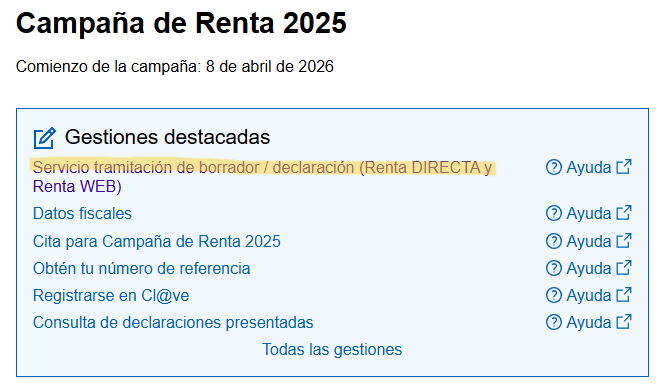
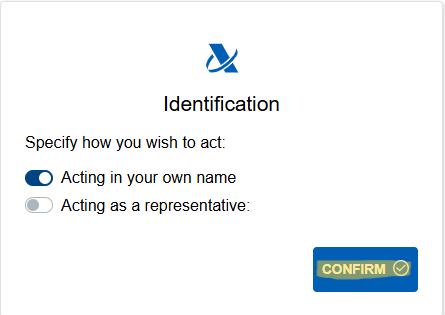
First, we can review the information already available in the system. Consultar datos fiscales
We can see all the information reported by banks. For example, here BBVA reports interest income of €720 for the year, with €144 withheld in taxes.
Next, we check the payments declared through Modelo 130. The advance payments of €2,400 for Q2 and €3,600 for both Q3 and Q4 are displayed correctly.
We verify the amount shown in the 'Importe Cotizado' field. The value is automatically transferred to cell 0186 of Modelo 100 and is displayed correctly. Transferred to social security.
Go back to the 'Servicios Disponibles' page and select 'Servicio tramitación de borrador / declaración (Renta DIRECTA y Renta WEB)' to continue with your tax return. Servicios Disponibles5️⃣ Step
To add your spouse, click the Apartados de la declaración button and then select Declarante y cónyuge.
To add your spouse, click the Apartados de la declaración button and then select Declarante y cónyuge.
Fill in your spouse and children’s details. Only the following information is required: full name, NIE/DNI number, gender, and date of birth. To file a joint tax return, you must request spousal authorization ('Autorización cónyuge'), for example via Cl@ve Móvil. Both spouses must have a valid digital identity (Cl@ve or electronic certificate). The process is quick: you enter the ID number and confirm the request in the Cl@ve mobile app. Once approved, the status will change to 'Autorizado'.
You can add child details separately by selecting 'Descendientes y ascendientes' on the previous page.
6️⃣ Step
Complete the section for your self-employment activity. Choose 'Actividades económicas en estimación directa'.
Locate your economic activity by completing cells 0166 and 0167 with the appropriate activity codes. In cell 0168, indicate that you use the simplified direct estimation method by entering 'S'.
Now simply carry over all values from your previously prepared declaration (steps 1–2).
7️⃣ Step
Some sections in the 'Cuotas' area are completed automatically based on your region of residence. If you had no other income or deductible expenses during the year, you can submit the tax return by clicking 'Presentar declaración'. Select the button under 'CONJUNTA' for a joint return or under 'Declarante' for an individual return.
Next, enter your IBAN and choose a payment option. You can either pay the full amount by the deadline ('No fraccionado') or split the payment into two installments ('Pago fraccionado'). With the installment option, the first payment is due by June 30 and the second by November 30. After selecting the desired option and reviewing the amounts, click 'Aceptar'.
The installment option does not incur additional interest and is commonly used by taxpayers.
After submitting your tax return, download and save the submission receipt ('Justificante'). This document confirms that the declaration has been successfully filed and may be requested by the Tax Agency or other organizations in the future.
If the return results in a refund, keep the receipt until the refund has been received in your bank account.
Finally, you can mark the return as submitted and, if available, enter the 'justificante' reference number (this step is optional).